Communication & Support software profile
Loom
Screen and camera recording for asynchronous video communication.
Loom lets people record their screen, camera or both and share a video link instead of scheduling another meeting. It is useful for walkthroughs, feedback and async updates, while recording length, video counts, editing and AI features vary by plan.
Last editorial review: November 7, 2026. Vendor pricing and features can change; confirm current terms before buying.
Research basis: desk research using public product and pricing information. This profile is not a claim of hands-on testing.
Inside the product
A look at the interface.
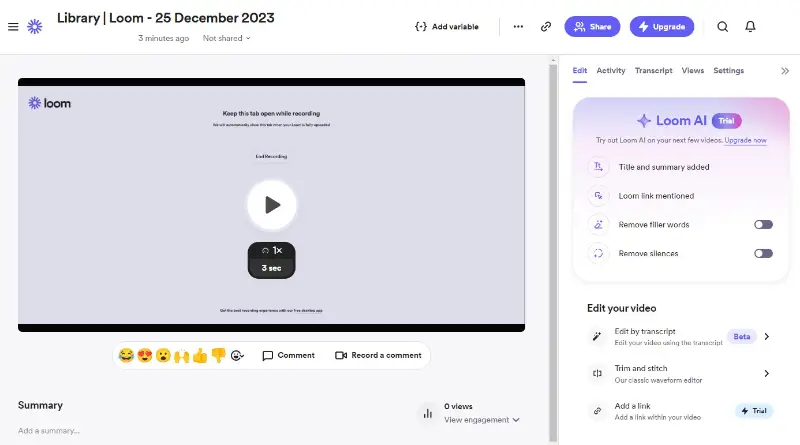
Product imagery is credited to the linked source. Screenshots may be older or vary by plan and region. StackPick is an independent guide, not the software provider.
At a glance
Who should consider Loom?
- Remote teams sharing product walkthroughs
- Support teams recording troubleshooting steps
- Managers and educators sending asynchronous updates
Key capabilities
Where it can work well
- + Quick alternative to meetings for simple explanations
- + Shareable links simplify feedback and handoffs
- + Free Starter plan supports basic recording
Trade-offs to check
- – Starter limits recordings to five minutes and 25 videos per person
- – Advanced editing and branding require paid plans
- – Video storage, privacy and access settings need team governance
Pricing & free plan
Check the limits, not just the headline price.
Loom Starter is free and limits each person to 25 videos and 5 minutes per recording. Paid Business and AI plans are available; exact seat prices and feature bundles should be checked on the official pricing page for the selected billing term.
Free-plan check
Yes. Starter includes up to 25 videos per person and a 5-minute recording limit, with a 50-member workspace cap. Paid plans lift or increase limits and add advanced editing and administration.
More Communication & Support software
Explore other tools in this category and compare their plan limits, workflows and trade-offs.
Community experience
Reviews from users.
Only reviews approved by StackPick moderators appear here. A submitted review is not published immediately.
Share your experience
Sign in or create an account to submit a review. Email confirmation may be required before you can sign in.
Sign in to review