Developer Tools software profile
Neon
Serverless Postgres with branching and scale-to-zero compute.
Neon provides managed PostgreSQL designed for serverless applications and development workflows. Database branching can help teams create isolated environments, while scale-to-zero compute can reduce idle resource usage. Check current quotas and compute behaviour against your workload.
Last editorial review: November 7, 2026. Vendor pricing and features can change; confirm current terms before buying.
Research basis: desk research using public product and pricing information. This profile is not a claim of hands-on testing.
Inside the product
A look at the interface.
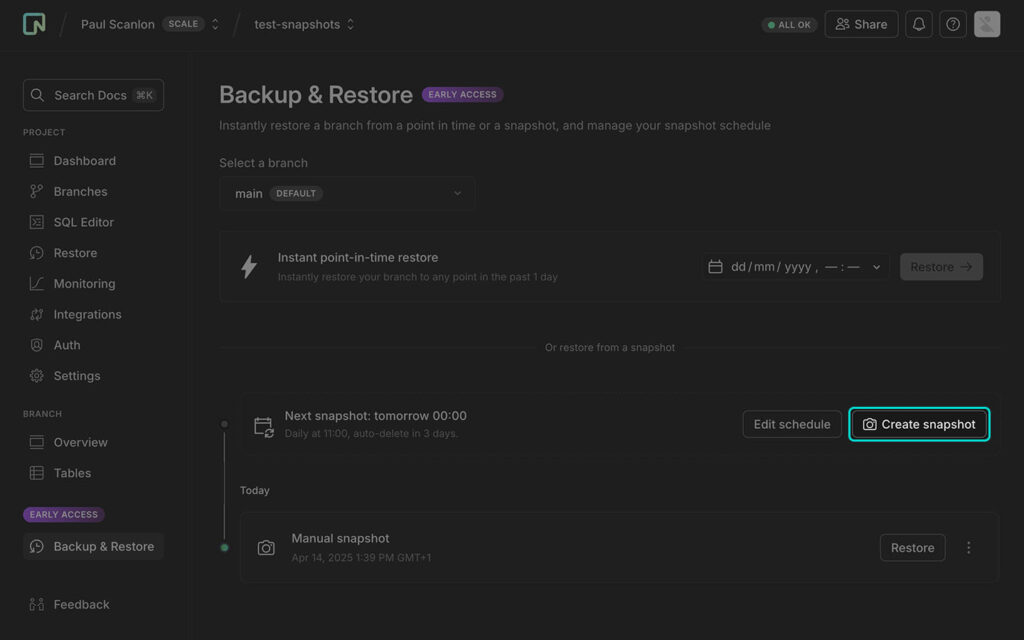
Product imagery is credited to the linked source. Screenshots may be older or vary by plan and region. StackPick is an independent guide, not the software provider.
At a glance
Who should consider Neon?
- Applications using PostgreSQL
- Developers who want database branching for previews and testing
- Serverless workloads with variable database activity
Key capabilities
Where it can work well
- + Postgres compatibility
- + Branching can simplify isolated development environments
- + Usage-based compute model
Trade-offs to check
- – Usage needs monitoring to forecast costs
- – Scale-to-zero behaviour may not suit every latency requirement
- – Compare included quotas and support levels before production use
Pricing & free plan
Check the limits, not just the headline price.
Neon uses usage-based pricing across its plans rather than one universal fixed monthly price. A Free plan is available; paid usage depends on compute, storage and related resources. Use the official calculator for a workload estimate.
Free-plan check
Yes. Neon offers a Free plan with limited compute, storage and project allowances. Check current quotas, retention and branching limits on the official pricing page.
Related StackPick comparisons
More Developer Tools software
Explore other tools in this category and compare their plan limits, workflows and trade-offs.
Community experience
Reviews from users.
Only reviews approved by StackPick moderators appear here. A submitted review is not published immediately.
Share your experience
Sign in or create an account to submit a review. Email confirmation may be required before you can sign in.
Sign in to review